SEO Launch Checklist for 2026
Checks before and after your new website goes live.
Launching a new website should feel exciting, not like crossing your fingers and hoping Google figures it out.
A lot can go wrong when a site goes live. Pages can be blocked from search engines. Redirects can be missed. Forms can stop working. Analytics can track the wrong things. Old URLs can disappear. New content can be thin, unclear or hard for search engines and AI systems to understand.
That last point matters more than it used to.
In 2026, a website launch is not just about getting your pages indexed by Google. It is about making your site easy for people, search engines and AI powered answer engines to understand. The basics still matter, but so do structured content, internal linking, clear entities, useful answers, author trust, original experience and technical accessibility.
This checklist is written from the perspective of someone who works on SEO audits, technical SEO, website rebuilds and launch checks for real businesses. I use this kind of process when reviewing new websites, migrations and redesigns for clients who want fewer nasty surprises after launch.
If you are putting a new website live, rebuilding an old one or moving to a new CMS, work through this before launch, on launch day and again once the site has been live for a few days.
For a deeper review, take a look at my SEO audit service, run a quick page through the free SEO checker, or read more about my SEO services in Devon.
What is an SEO launch checklist?
An SEO launch checklist is a set of technical, content and tracking checks carried out before and after a new website goes live.
The goal is simple. You want to make sure search engines can crawl, index, understand and rank the right pages. You also want to protect any existing rankings, traffic, enquiries and revenue.
A good launch checklist should cover crawling, indexing, redirects, canonical URLs, page speed, Core Web Vitals, mobile usability, structured data, analytics, conversion tracking, internal links, content quality, accessibility, AEO and GEO readiness, and post launch monitoring.
If you are launching a completely new website, the checklist helps you start cleanly. If you are replacing an existing site, it helps protect what you already have.
Why website launches still go wrong
Most launch problems are avoidable.
The issue is usually not one big disaster. It is more often a stack of small mistakes that get missed during the rush to go live.
A developer leaves a noindex tag in place. The robots.txt file blocks the whole site. Old URLs are not redirected. The sitemap contains staging URLs. The contact form works visually but does not send. GA4 is installed but key events are not tracking. The mobile menu hides important links. The new service pages look nicer but have less useful copy than before. The homepage links to fewer important pages. The site is fast on WiFi but painful on a real mobile connection.
None of this is rare. I see variations of these issues all the time during technical SEO audits, especially when SEO is only checked after the site has already gone live.
A proper launch process catches these issues before they become ranking drops, lost enquiries or confusing reports.
Before launch
1. Crawl the staging site
Before the site goes live, crawl it properly.
Use a crawler such as Screaming Frog SEO Spider or Sitebulb to check every accessible URL. Look for broken internal links, missing titles, duplicate titles, missing descriptions, incorrect canonicals, empty headings, noindex tags, redirect chains, orphan pages and unexpected URLs.
This is where you find the messy bits before users and search engines do.
Do not just click around the site manually and assume everything is fine. Manual testing is useful, but it will not show you the full picture. A crawl gives you a clean export of what is actually happening across the site.
If you are replacing an existing site, crawl the old site too. You need that list of old URLs for redirect mapping later.
2. Check the site can be indexed
This sounds obvious, but it is one of the most common launch mistakes.
On a staging site, it is normal to block search engines using noindex tags, password protection or robots.txt. That is fine before launch. The mistake is leaving those blocks in place after launch.
Before the site goes live, check that the live pages do not have a noindex tag, the robots.txt file does not block important areas, the CMS search visibility settings are not switched off, important pages return a 200 status code, pages are not blocked by a CDN, firewall or hosting rule, and canonical tags point to the live URL rather than staging.
You can check individual URLs with the Google Search Console URL Inspection Tool once the site is live.
The robots.txt file should usually sit at:
https://www.example.com/robots.txt
A simple robots.txt file might look something like this:
User-agent: * Disallow:
Sitemap: https://www.example.com/sitemap.xml
That does not mean every site should use that exact setup, but it shows the basic idea. You are not blocking everything by accident.
Google has a useful robots.txt guide here: Introduction to robots.txt
3. Check the site architecture
A new website is a chance to improve structure, not just change the design.
Before launch, map out the main page types and how they connect. For most service businesses, this might look like a homepage, main services page, individual service pages, location pages, sector pages, case studies, blog or guide content, and contact page.
The important pages should not be buried five clicks deep. Users should be able to understand what you do, where you do it and how to take the next step.
Search engines use links to discover pages and understand relationships between them. AI systems also benefit from clear structure, because well linked, clearly labelled content is easier to interpret and summarise.
For example, on this site I would want a launch checklist like this to naturally link to related pages such as SEO ready web design, SEO audits, AI SEO, AEO and GEO, and wider SEO support.
That kind of internal linking is not just there for SEO. It helps readers move to the next useful page.
4. Map every old URL to a new URL
If you are replacing an existing website, this is one of the most important checks.
Every useful old URL should be mapped to the most relevant new URL. Not just the homepage. Not just the top level pages. Every page that has traffic, links, rankings, enquiries or historic value should be reviewed.
You can get old URLs from a crawl of the old website, Google Search Console, GA4 landing page reports, Ahrefs or Semrush, your XML sitemap, server logs if available, CMS exports and backlink reports.
Once you have the list, map each old URL to the closest live equivalent.
Old service page to new service page. Old blog post to updated blog post. Old location page to new location page. Old product page to new product page.
Only redirect to the homepage when there is no relevant alternative.
For larger migrations, this should be done in a spreadsheet with columns for old URL, new URL, status, notes and priority.
5. Check redirects properly
Redirects need testing before and after launch.
At the very least, check HTTP redirects to HTTPS, non www redirects to www or the other way around, trailing slash rules, old URLs, 301 status codes, redirect chains, redirect loops, uppercase and lowercase URL issues, and old PDF or media URLs if they had value.
A bad redirect setup can create duplicate versions of the same website.
For example, these should not all resolve separately:
http://example.com http://www.example.com https://example.com https://www.example.com
Pick the preferred version and redirect the others into it.
The same logic applies to trailing slashes, old file extensions and duplicated paths. If both /services and /services.html show the same content, that needs cleaning up.
Google’s canonical guidance is useful here: Canonicalization and duplicate URLs
6. Check canonical tags
A canonical tag tells search engines which version of a page should be treated as the main version.
This matters when pages are duplicated, near duplicated or accessible through more than one URL.
Before launch, check that every indexable page has a self referencing canonical where appropriate, canonical tags use the live domain, canonical URLs return a 200 status code, canonical tags do not point to redirected URLs, paginated or filtered pages are handled properly, and HTTP pages do not canonicalise to HTTP if HTTPS is the live version.
Canonical tags are not a magic fix for messy URL structures, but they are a useful signal when used properly.
If the site has ecommerce filters, booking parameters, tracking URLs or location variations, canonical checks become even more important.
7. Check mobile usability on real devices
Old launch checklists often talked about the Google Mobile Friendly Test. That tool is no longer the main way I would approach this.
In 2026, mobile checking needs to be practical. Use real devices where possible. Do not just resize your browser and call it done.
Check navigation, drop down menus, booking journeys, forms, tap targets, sticky elements, pop ups, cookie banners, accordions, tables, image galleries, embedded maps, payment flows and enquiry flows.
Make sure the site works on iPhone, Android, Safari, Chrome and slower connections.
Mobile usability is not just about SEO. It directly affects enquiries and revenue. If a user cannot submit a form, make a booking, click a phone number or read the page properly, the site is not ready.
8. Test Core Web Vitals and real page speed
Do not only test the homepage.
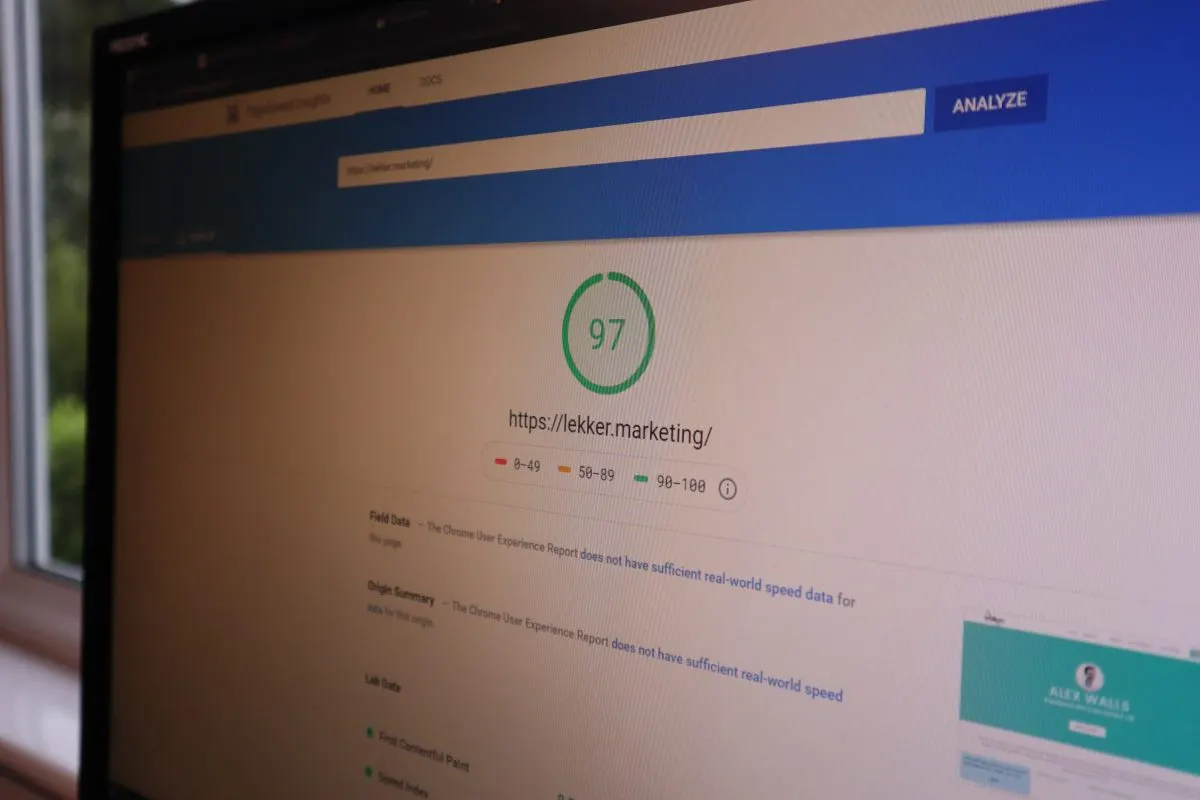
Run key templates through PageSpeed Insights and check field data where it exists. For a new site, you may only have lab data at first, but it is still useful.
Check the homepage, main service pages, blog posts, product pages, location pages, booking pages, contact page and high traffic landing pages.
The three Core Web Vitals to watch are Largest Contentful Paint, which measures loading performance, Interaction to Next Paint, which measures responsiveness, and Cumulative Layout Shift, which measures visual stability.
Google’s current Web Vitals guidance is here: web.dev Web Vitals
Common launch issues include oversized hero images, heavy sliders, too much JavaScript, slow third party scripts, unoptimised fonts, layout shifts from lazy loaded images and cookie banners that block rendering.
Good performance is not about chasing a perfect score on every URL. It is about making the site feel fast and stable for real users.
If you want a quick first pass, run a key page through my free website SEO checker.
9. Make sure important content is visible in HTML
Modern websites often rely on JavaScript, animations, tabs, accordions and client side rendering.
That is not always a problem, but it can become one if important content is hard for search engines to access or slow to render.
Check that key content is visible in the HTML or rendered reliably, including service descriptions, product information, prices or booking details, reviews, FAQs, location information, author details, contact details, internal links and breadcrumbs.
This matters for traditional SEO, but it matters for AEO and GEO too. If you want your content to be used in AI generated answers, it needs to be clear, accessible and easy to extract.
Do not hide your most useful information inside images, PDFs, scripts or vague design blocks.
10. Review titles and meta descriptions
Every important page should have a unique, descriptive title tag and meta description.
Title tags still matter because they help users and search engines understand what a page is about. They are often used in search results, browser tabs and link previews, although Google may rewrite them.
Check that titles are unique, describe the page clearly, match the search intent, include the main topic naturally, avoid repeated boilerplate, avoid keyword stuffing and use the brand where it makes sense.
Google’s guidance on title links is here: Influencing title links in Google Search
Meta descriptions are not a direct ranking factor, but they can influence click through rate. They should read like a useful summary, not a list of keywords.
For example:
Poor title: Services
Better title: SEO Services in Devon - Lekker Marketing
Poor description: We offer SEO services, website services, digital services and marketing services.
Better description: Practical SEO support for Devon businesses, including audits, technical SEO, content strategy, local SEO and launch support.
11. Check headings and page structure
Every important page should have one clear H1 that matches the purpose of the page.
After that, use H2s and H3s to break the page into logical sections. This helps users scan the page, and it helps search engines understand the structure.
For AEO and GEO, headings matter because they often frame the questions and subtopics that AI systems extract.
A good service page might include sections covering what the service includes, who it is for, common problems solved, how the process works, examples of work, FAQs and next steps.
Do not use headings purely for styling. A heading should describe the content below it.
12. Add useful internal links
Internal linking is one of the easiest things to improve before launch, but it is often missed.
Your important pages should be linked from relevant places across the site, not just from the main menu.
For example, a blog about launching a new website should link to SEO ready web design. A section about technical problems should link to an SEO audit. A paragraph about AI visibility should link to AI SEO, AEO and GEO services. A page about local search should link to SEO services in Devon.
Use descriptive anchor text. “Technical SEO audit” is more useful than “click here”. “SEO ready web design” is more useful than “learn more”.
Do not force links into every other sentence. Add them where they genuinely help the reader.
13. Check navigation and footer links
Main navigation should make the site easy to understand quickly.
Before launch, check that the nav includes the most important commercial pages and that labels are clear. Avoid clever names that only make sense internally.
The footer should include main services, contact page, privacy policy, terms if needed, important sector pages, key social profiles, business name and contact details.
For local businesses, the footer can help reinforce basic trust signals, especially if it includes the business name, location, phone number and email address.
If you have sector pages, make sure they are not orphaned. For example, pages like SEO for trades, SEO for estate agents, and SEO for holiday parks and campsites should be linked from relevant service hubs or supporting content.
14. Add structured data
Structured data helps search engines understand the content and entities on a page.
It does not guarantee rich results. It does not magically make a poor page rank. It does help clarify what things are.
Common schema types to consider before launch include Organization, LocalBusiness, WebSite, WebPage, BreadcrumbList, Article, FAQPage, Product, Service, Review, Event, Hotel and LodgingBusiness.
The right schema depends on the site.
A local service business might need LocalBusiness, Service and FAQPage schema. A hotel might need LodgingBusiness, Hotel, Restaurant, FAQPage and BreadcrumbList schema. An ecommerce site might need Product, Offer, AggregateRating, BreadcrumbList and Organization schema.
Test your structured data with the Schema Markup Validator and Google’s Rich Results Test.
For modern SEO and AI visibility, make sure the structured data matches the visible page. Do not mark up reviews, FAQs, authors or services that users cannot actually see on the page.
Google’s structured data documentation is here: Intro to structured data
15. Add breadcrumb navigation
Breadcrumbs help users understand where they are on the site. They also help search engines understand page relationships.
A simple breadcrumb might look like:
Home > Services > SEO Services
For a blog post, it might be:
Home > Blog > SEO Launch Checklist
Breadcrumbs are especially useful on larger sites, ecommerce sites, hotel sites, directories and websites with lots of location pages.
Add visible breadcrumbs where they help users. Add BreadcrumbList schema where appropriate.
16. Review image SEO and accessibility
Image checks are not just about adding keywords to alt text.
Before launch, check that images are compressed, file names are sensible, important images have descriptive alt text, decorative images have empty alt attributes where appropriate, images have width and height attributes to reduce layout shifts, large hero images are not slowing the page down, and images are not the only place where important text appears.
Alt text is mainly for accessibility. It helps screen reader users understand an image. It can also help search engines understand image content, but that should not lead to spammy alt text.
Poor alt text: seo seo launch checklist website launch seo
Better alt text: Screenshot of a website crawl showing missing page titles before launch
If the image is decorative, it may not need descriptive alt text at all.
17. Check accessibility basics
Accessibility is often treated as a separate project, but the basics should be checked before launch.
Look at colour contrast, keyboard navigation, focus states, alt text, form labels, error messages, heading order, button labels, skip links, readable font sizes, captions and transcripts for video.
You can test pages with tools like WAVE and Lighthouse, but manual checks matter too.
Accessibility supports users first. It also tends to support better SEO because accessible pages are usually clearer, better structured and easier to use.
18. Test forms, bookings and conversion paths
Do not assume a form works because it appears on the page.
Test every conversion path, including contact forms, newsletter forms, booking forms, quote forms, brochure downloads, checkout flows, click to call buttons, email links, calendar booking tools, live chat, file uploads and payment confirmations.
Check what happens after submission. Does the user see a confirmation message? Does the email arrive? Does it land in spam? Is the right person notified? Is the enquiry tracked in GA4? Does the CRM receive it?
This is one of those checks that sounds basic until it costs a business leads.
19. Set up GA4 properly
Adding the GA4 tag is not enough.
Before launch, check that GA4 is collecting the data you actually need. For most sites, that means tracking form submissions, phone number clicks, email clicks, booking button clicks, brochure downloads, checkout events, newsletter signups, key page views and lead quality where possible.
GA4 uses event based tracking, so the setup should match your actual business goals.
You can use Google Tag Manager to manage tags and events without hard coding every change into the site. Once everything is set up, use DebugView and real test conversions to make sure the data is accurate.
Google’s GA4 overview is here: Google Analytics property guidance
Bad tracking is worse than no tracking because it gives false confidence. If the website has been rebuilt, do not assume old tracking still works.
20. Set up Google Search Console and Bing Webmaster Tools
Google Search Console and Bing Webmaster Tools should be set up from day one.
In Google Search Console, check that the domain property is verified, the XML sitemap is submitted, key pages can be inspected, indexing issues are monitored, Page Experience and Core Web Vitals reports are checked, security and manual action sections are clear, and old verified users are removed if no longer needed.
Set up Google Search Console here.
For Bing, set up Bing Webmaster Tools. Bing matters more than many people think because its data can connect into Microsoft search products, Copilot style experiences and other search ecosystems.
If your CMS supports it, look at IndexNow too. It can help notify participating search engines when URLs are added, updated or deleted.
21. Check XML sitemap quality
Your sitemap should include the URLs you want search engines to find and index.
Before launch, check that the sitemap uses the live domain, only includes indexable URLs, does not include staging URLs, does not include redirected URLs, does not include 404s, does not include blocked URLs, updates automatically when pages are added or removed, is referenced in robots.txt, and is submitted in Google Search Console and Bing Webmaster Tools.
You can usually find it at:
https://www.example.com/sitemap.xml
Google’s sitemap documentation is here: Learn about sitemaps
A sitemap does not guarantee indexing, but it helps search engines discover important URLs.
22. Create a useful 404 page
A 404 page should not feel like a dead end.
Before launch, check that the 404 page uses your normal site design, explains that the page cannot be found, links to key pages, includes a search function if useful, has a clear route back to the homepage, and returns a real 404 status code.
Do not redirect every broken URL to the homepage. That can confuse users and search engines. A proper 404 is fine when a page genuinely no longer exists and has no useful replacement.
For high value old URLs, use 301 redirects instead.
23. Check broken links
Broken internal links make the site look unfinished. They also waste crawl paths and frustrate users.
Before launch, crawl the site and check for internal 404s, broken image URLs, broken PDF links, links still pointing to staging, links to old domains, links to local development paths, broken external links and redirect chains.
Broken external links are easy to forget. If you are linking to tools, sources, PDFs, old resources or social profiles, check they still work.
For a cornerstone guide like this one, external links should support trust. Link to useful official sources where it helps the reader, not just random blog posts.
24. Check social sharing tags
Open Graph tags and social previews control how your pages appear when shared on platforms like LinkedIn, Facebook, WhatsApp and X.
Before launch, check og:title, og:description, og:image, og:url, twitter:card, twitter:title, twitter:description and twitter:image.
Use these tools:
Facebook Sharing Debugger LinkedIn Post Inspector X Card Validator
This is especially useful when launching a new brand, campaign, blog or product.
The launch period is often when people share the site most. Make sure the preview does not show a random cropped image, old logo or missing description.
25. Check favicon and site identity
A favicon is a small thing, but it affects how polished the site feels in browsers, tabs, bookmarks and sometimes search results.
Check that the favicon appears correctly, it is not the default CMS icon, it works in light and dark browser themes, the site name is consistent, the logo links to the homepage, and brand name, phone number and email are consistent across the site.
For local businesses, consistency matters. Your website, Google Business Profile, social profiles and directories should all use the same business details.
26. Review content quality page by page
Before launch, read the actual copy.
Do not just check whether each page has text. Check whether the page helps someone make a decision.
For every important page, ask whether it is clear what this page is about, whether it answers the obvious questions, whether it explains who the service is for, whether it shows real experience or examples, whether it explains the next step, whether it avoids vague filler copy, whether it links to useful related pages, and whether someone would trust the business after reading it.
This is where modern SEO, AEO and GEO overlap.
Search engines want useful content. AI systems need clear, extractable information. Users want direct answers from someone who sounds like they know what they are talking about.
A thin service page with a generic paragraph and a contact button is not enough anymore.
If you are launching a business site, this is where a proper SEO audit can be useful before the site goes live.
27. Add E-E-A-T signals
E-E-A-T stands for experience, expertise, authoritativeness and trustworthiness.
It is not a single score. It is a way of thinking about whether a page feels credible and helpful.
Before launch, check whether the site clearly shows who is behind the business, who wrote or reviewed key content, what experience they have, where the business is based, how to contact the business, real examples, case studies or testimonials, clear policies, accurate dates on time sensitive content, sources for factual claims, and useful original insight rather than copied generic advice.
For blog content, add an author bio. For service pages, show relevant experience. For local businesses, show real locations, team details, project photos and reviews where possible.
For a page like this, I would include a short author note at the end:
Written by Alex Walls, founder of Lekker Marketing. Alex has worked in SEO for over 12 years across agencies, freelance projects and client websites in hospitality, ecommerce, SaaS, local services and B2B sectors.
That is more useful than pretending the content came from a faceless brand.
28. Prepare pages for AEO and GEO
AEO usually means Answer Engine Optimisation. GEO usually means Generative Engine Optimisation.
In plain English, this means making your content easier to understand, quote, summarise and trust in AI powered search experiences such as Google AI Overviews, AI Mode, ChatGPT, Perplexity and Copilot.
Do not overcomplicate it.
The best way to prepare pages for AEO and GEO is to make them genuinely clear and useful.
Before launch, check that important pages answer specific questions directly, use clear headings, explain terms in plain English, include concise summaries, show first hand experience, use internal links to related pages, use external links where they support trust, mention relevant entities clearly, make contact and business details easy to find, use structured data where suitable, and keep key information in text rather than just images.
Google says there are no special technical requirements to appear in AI Overviews or AI Mode beyond being eligible for Google Search and following the usual best practices. You can read its guidance here: AI features and your website
That does not mean AEO and GEO are pointless. It means they should be built on top of proper SEO, not treated as a shortcut.
If you want help with that, I have a dedicated page for AI SEO, AEO and GEO services.
29. Check local SEO signals
If the website is for a local business, check the local signals before launch.
Look at business name, address, phone number, service areas, opening hours, Google Business Profile link, location pages, embedded map if useful, local testimonials, local project examples, local schema and links to relevant local pages.
The site should make it clear where the business works and who it helps.
A builder in Barnstaple, an estate agent in Exeter and a holiday park in Devon should not all have the same generic SEO setup. Their search intent, page structure and proof points are different.
For more specific examples, see:
SEO for trades and construction businesses SEO for estate agents SEO for holiday parks and campsites
30. Check privacy, cookies and legal pages
Before launch, make sure the site has the right legal and privacy pages.
For most UK business websites, that means a privacy policy, cookie policy or cookie information, terms and conditions if needed, company details if applicable, data capture wording near forms, cookie consent setup if using non essential cookies, and analytics and tracking disclosure.
This is not just a box ticking job. If you are collecting personal data through contact forms, newsletter signups, bookings or analytics, users should know what is being collected and why.
You can read more from the ICO here: UK GDPR guidance and resources
If you are using GA4, Meta pixels, LinkedIn tags, Microsoft Clarity or other tracking tools, make sure consent is handled properly.
31. Test the site like a real user
Before launch, step away from the SEO tools and use the website like a normal person.
Try to find a service, read a blog, submit a form, click a phone number, use the mobile menu, open the site on mobile data, use the site in Safari, Chrome and Edge, find the privacy policy, navigate from a blog post to a service page, complete a booking or purchase, and read the page without accepting cookies straight away.
You will often spot things that a crawl will not catch.
A website can be technically valid and still feel awkward. A launch check should cover both.
On launch day
32. Run a fresh crawl of the live site
Once the site is live, crawl it again.
Do not assume the live site matches staging.
Check status codes, indexability, canonicals, titles, descriptions, H1s, redirects, internal links, sitemap URLs, robots.txt, broken links, staging URLs, mixed content and duplicate pages.
Compare the live crawl with your staging crawl and old site crawl.
If anything has changed unexpectedly, fix it quickly.
33. Submit the sitemap
Once the live sitemap has been checked, submit it in Google Search Console and Bing Webmaster Tools.
You do not need to keep resubmitting it every day. Just make sure search engines know where it is and that it only contains the right URLs.
For important new or changed pages, use URL Inspection in Google Search Console to request indexing.
34. Test important redirects live
Do not just test redirects in theory.
Take your redirect map and test a sample of important URLs manually or with a crawler.
Focus on high traffic old URLs, pages with backlinks, old service pages, old blog posts, old campaign URLs, old PDFs, old location pages and URLs that ranked well before the rebuild.
If a key old URL is returning a 404, fix it quickly.
35. Check analytics and Conversions again
As soon as the site is live, test tracking again.
Submit forms. Click phone numbers. Download files. Complete purchases. Trigger booking events. Then check whether those actions appear in GA4, Tag Manager, ad platforms and any CRM.
If you use paid search, Meta ads or LinkedIn ads, make sure conversion tags still work before sending traffic to the new site.
This is especially important for businesses running campaigns during a launch.
36. Check Search Console for early issues
In the first few days after launch, keep a close eye on Google Search Console.
Look for indexing errors, unexpected noindex pages, redirect errors, soft 404s, server errors, blocked resources, security warnings, Core Web Vitals changes, manual actions and sudden drops in indexed pages.
Do not panic over every small warning. New sites and migrations can take time to settle. Focus on issues that affect important pages.
37. Monitor rankings, traffic and enquiries
A new website can shift rankings, even when everything is done well.
Track organic sessions, organic enquiries, revenue or bookings, keyword rankings, indexed pages, top landing pages, click through rate, conversion rate, Search Console impressions, brand traffic and non brand traffic.
Use GA4, Google Search Console and your ranking tool of choice.
If traffic drops, compare page by page. Did an old page disappear? Did the title change? Did the content get weaker? Was the URL changed? Is the redirect wrong? Did internal links change?
Do not just look at the homepage. Most SEO damage happens deeper in the site.
38. Watch user behaviour
SEO is not only about rankings.
After launch, watch how users behave. Tools like Microsoft Clarity can help you see scroll depth, clicks, rage clicks and session recordings.
Look for users missing key buttons, people abandoning forms, mobile menu issues, confusing page sections, content people do not scroll to, buttons that look clickable but are not, pop ups blocking actions, and checkout or booking friction.
This is where SEO and conversion rate optimisation meet. A site that ranks but does not convert still has a problem.
Common website launch SEO mistakes
Here are the launch mistakes I see most often:
- Leaving the site blocked from indexing.
- Redirecting old pages to the homepage.
- Forgetting to redirect old blog posts.
- Launching with staging URLs in links or sitemaps.
- Removing useful content during a redesign.
- Using vague page titles.
- Ignoring mobile forms and booking journeys.
- Forgetting GA4 events.
- Not checking Bing Webmaster Tools.
- Publishing thin service pages.
- Making the navigation worse.
- Removing internal links from blog content.
- Adding schema that does not match the page.
- Hiding key content behind JavaScript.
- Using oversized images.
- Forgetting cookie and privacy checks.
- Not monitoring Search Console after launch.
Most of these are easy to avoid if SEO is involved before launch, not after.
Quick SEO launch checklist
Use this as the short version before pushing the site live:
- Crawl staging.
- Crawl the old site.
- Map old URLs to new URLs.
- Test redirects.
- Check robots.txt.
- Remove noindex from live pages.
- Check canonical tags.
- Test mobile usability.
- Run PageSpeed Insights.
- Check Core Web Vitals.
- Review titles and descriptions.
- Check H1s and headings.
- Add internal links.
- Check navigation and footer links.
- Add structured data.
- Test schema.
- Check XML sitemap.
- Submit sitemap.
- Test forms.
- Set up GA4 events.
- Verify Google Search Console.
- Verify Bing Webmaster Tools.
- Check IndexNow if relevant.
- Add privacy and cookie pages.
- Check accessibility basics.
- Optimise images.
- Check broken links.
- Set Open Graph tags.
- Add favicon.
- Review content quality.
- Add author and trust signals.
- Prepare pages for AI search.
- Monitor after launch.
Need help checking a new website before launch?
If you are launching a new website, rebuilding an old one or worried something has been missed, I can help.
My SEO audits cover technical setup, indexing, redirects, internal links, content structure, analytics and practical next steps.
If you are still planning the build, my SEO ready web design service is built around clean structure, useful content and launch checks from the start.
For ongoing support, take a look at my SEO services in Devon, or if you want to improve visibility in AI powered search, read more about AI SEO, AEO and GEO.
You can also run a quick first check with the free website SEO checker, or get in touch if you want a proper review before launch.
Written by Alex Walls, founder of Lekker Marketing. Alex has worked in SEO for over 12 years across agency, freelance and client side projects, including hospitality, ecommerce, SaaS, local services, B2B websites and website rebuilds.
This guide was updated in June 2026 to reflect modern SEO, AEO, GEO, AI search visibility, Core Web Vitals, structured data, launch tracking and post launch monitoring.